
HDShortcutter3.2 - Download
You'll be able to download in few seconds.
Publisher Description
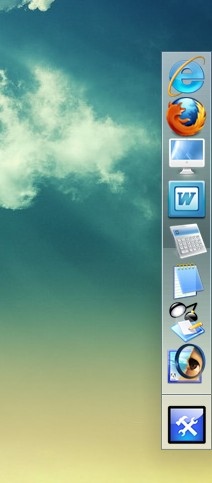
Drag your common-used application, file, folders and anything else to shortcut manager, then you can open the application, file, folders very quickly, easily switch, open, close.
You can save anything to data partition and add the shortcuts to this shortcut manager and reduce the risk of data losing on your desktop when you reinstall Windows.
With this shortcut manager, you don't need to put everything that common used to the desktop and make the desktop clean all the time.
Still have a fit that there is no enough space on your Quick Launch Bar, Task Bar? Don't worry again. With this shortcut manager, you can close the application, file or folders and re-open them quickly. Your Quick Launch Bar, Task Bar will keep clean all the time, tool.
This shortcut manager is portable, you don't need to install it on your computer. This shortcutter also it very small, no largger than 1MB, Why not download this small, portable and high effecient shortcutter to manage your desktop now?
About HDShortcutter
This Launchers & Task Managers program is available in English. It was last updated on 29 September, 2026. HDShortcutter is compatible with the following operating systems: Windows.
The company that develops HDShortcutter is HDD TOOL. The latest version released by its developer is 3.2.
The download we have available for HDShortcutter has a file size of N/A. Just click the green Download button above to start the downloading process. The program is listed on our website since 2010-01-31 and was downloaded 0 times. We have already checked if the download link is safe, however for your own protection we recommend that you scan the downloaded software with your antivirus. Your antivirus may detect the HDShortcutter as malware if the download link is broken.
How to install HDShortcutter on your Windows device:
- Click on the Download button on our website. This will start the download from the website of the developer.
- Once the HDShortcutter is downloaded click on it to start the setup process (assuming you are on a desktop computer).
- When the installation is finished you should be able to see and run the program.
Program Details
System requirements
Download information
Pricing
Version History
version 3.2
posted on 2010-01-31
none
Disclaimer
External Download
We do not host HDShortcutter on our servers. We did not scan it for viruses, adware, spyware or other type of malware. This app is hosted by the software publisher and passed their terms and conditions to be listed there. We recommend caution when installing it.
The external download link for HDShortcutter is provided to you by apps112.com without any warranties, representations or guarantees of any kind, so access it at your own risk.
If you have questions regarding this particular app contact the publisher directly. For questions about the functionalities of apps112.com contact us.
